Contact: [email protected]
© 2026 KuluHub AI
AI TOOLS
About | Privacy Policy | Terms | Affiliate Disclosure
Contact: [email protected]
© 2026 KuluHub AI

ABOUT KuluHub AI
KuluHub AI is an independent review hub focused on AI tools, automation platforms, and SaaS products for creators and online builders.
We provide clear breakdowns, practical insights, and honest pros & cons to help you choose tools that fit your workflow.
No hype.
No unrealistic income promises.
Just structured systems and useful tools.
Contact: [email protected]
____________________________
PRIVACY POLICY
We respect your privacy.
This website may use basic analytics tools and affiliate tracking links to improve performance and user experience.
We may collect non-personal data such as browser type, device information, and general usage behavior.
We do not sell or share personal information.
For privacy questions, contact:
[email protected]
____________________________
TERMS & CONDITIONS
All content on this website is for informational and educational purposes only.
We do not guarantee financial results, income levels, or business success from any tools mentioned.
You are responsible for conducting your own research before making purchasing decisions.
Use of this website indicates acceptance of these terms.
____________________________
AFFILIATE DISCLOSURE
Some links on this website may be affiliate links.
If you purchase through these links, we may earn a commission at no additional cost to you.
Affiliate relationships do not influence our opinions or reviews.
We aim to provide honest and independent evaluations.
About | Privacy Policy | Terms | Affiliate Disclosure
Contact: [email protected]
© 2026 KuluHub AI
Reclaim.ai Review (2026)
Can AI Actually Fix Your Calendar Chaos?
What Is Reclaim.ai?
Reclaim.ai is an AI-powered calendar management tool designed to automatically schedule tasks, habits, meetings, and priorities — without requiring constant manual adjustments.
Instead of manually blocking your time every day, Reclaim integrates with your existing calendar and intelligently organizes your schedule around what matters most.
It connects directly with:
• Google Calendar
• Outlook Calendar
At its core, Reclaim.ai is built to help professionals protect focus time, reduce scheduling friction, and adapt automatically when plans change.


Who Is Reclaim.ai Best For?
Reclaim is especially valuable for:
✔ Freelancers managing multiple clients
✔ Startup founders balancing meetings and strategy
✔ Consultants with dynamic schedules
✔ Agencies coordinating team calendars
✔ Remote workers trying to preserve deep work time
If your calendar feels reactive rather than intentional, this tool was designed for you.
Key Features
🔹 AI Task Scheduling
You simply enter:
• Task duration
• Deadline
• Priority level
Reclaim automatically finds optimal time slots in your calendar.
When meetings are added or moved, your schedule intelligently re-adjusts — without you needing to reorganize everything manually.
____________________________
🔹 Habit & Focus Time Protection
Reclaim allows you to schedule recurring habits such as:
• Daily deep work blocks
• Exercise sessions
• Weekly planning time
• Administrative tasks
If conflicts arise, the AI dynamically moves these blocks while still protecting your overall priorities.
____________________________
🔹 Smart Meeting Controls
To help prevent meeting overload, Reclaim can:
• Avoid excessive back-to-back meetings
• Limit meeting density
• Preserve focus hours
According to information published by the company, many users report noticeable improvements in how their time is structured after adopting AI scheduling.
____________________________
🔹 Multi-Calendar & Team Coordination
For agencies and teams:
• Syncs multiple calendars
• Prevents double-booking
• Optimizes shared availability
• Supports collaborative scheduling
This makes it particularly useful for client-facing businesses.
____________________________
🔹 Real-Time Adaptive Scheduling
Unlike static planners, Reclaim continuously adapts.
If a meeting is added, canceled, or moved — the AI automatically rebalances your tasks and habits in real time.
This is where Reclaim differentiates itself from traditional calendar apps.

How Reclaim.ai Works
1. Connect your Google or Outlook calendar
2. Add tasks, habits, and priorities
3. Define deadlines and flexibility
4. Let AI schedule everything automatically
5. When changes occur → the system re-optimizes
No more dragging time blocks every day.
Pros & Cons
✅ Pros
• True AI-powered calendar optimization
• Automatically adapts to schedule changes
• Protects recurring habits and deep work
• Strong fit for freelancers & consultants
• Growing demand in the AI productivity niche
• Affiliate-friendly and ad-friendly positioning
• Recurring subscription model
❌ Cons
• Initial setup requires thoughtful configuration
• Best results come from consistent task input
• Primarily focused on Google and Outlook ecosystems

How Reclaim.ai Compares to Other AI Calendar Tools
Several AI-powered scheduling tools operate in this space — including Motion and Clockwise — but Reclaim positions itself slightly differently.
• Motion focuses on structured daily task auto-planning.
• Clockwise emphasizes meeting optimization across teams.
• Reclaim.ai prioritizes adaptive rescheduling and habit protection — continuously reorganizing your calendar when priorities shift.
In simple terms:
Motion = structured daily planning
Clockwise = meeting optimization
Reclaim = dynamic time rebalancing + focus protection
For professionals dealing with unpredictable schedules, Reclaim’s flexibility can be particularly useful.
Pricing Overview
Reclaim offers:
• A free plan with limited functionality
• Paid subscription plans with recurring billing
For professionals who bill hourly or manage multiple projects, even modest time improvements can justify the subscription investment.
Pricing details may evolve, so it’s best to check the official website for the most up-to-date information.
Is Reclaim.ai Worth It?
If you:
• Struggle with meeting overload
• Constantly reschedule tasks
• Lose focus time due to interruptions
• Prefer automation over manual calendar management
Then Reclaim.ai may be a practical productivity upgrade.
Rather than acting as a simple reminder system, it functions as a scheduling assistant that continuously optimizes your time allocation.
As AI productivity tools continue expanding, automated calendar management is becoming increasingly relevant for freelancers and agencies alike.
Final Verdict
Reclaim.ai is not just another task manager.
It is an adaptive AI scheduling system built to protect your time and reduce friction inside your calendar.
For professionals who view time as their most valuable asset, tools like Reclaim can offer measurable improvements in how workdays are structured.
If your calendar currently controls your priorities, this tool is designed to help reverse that dynamic.
Sources & References
• Official product information and documentation from Reclaim.ai
• Feature descriptions and pricing details available on the Reclaim.ai website
• Publicly available company materials at time of writing
© 2026 KuluHub.net
Blym AI Review (2026)
The SEO Content Platform Modern Agencies Are Quietly Moving Toward
What Is Blym?
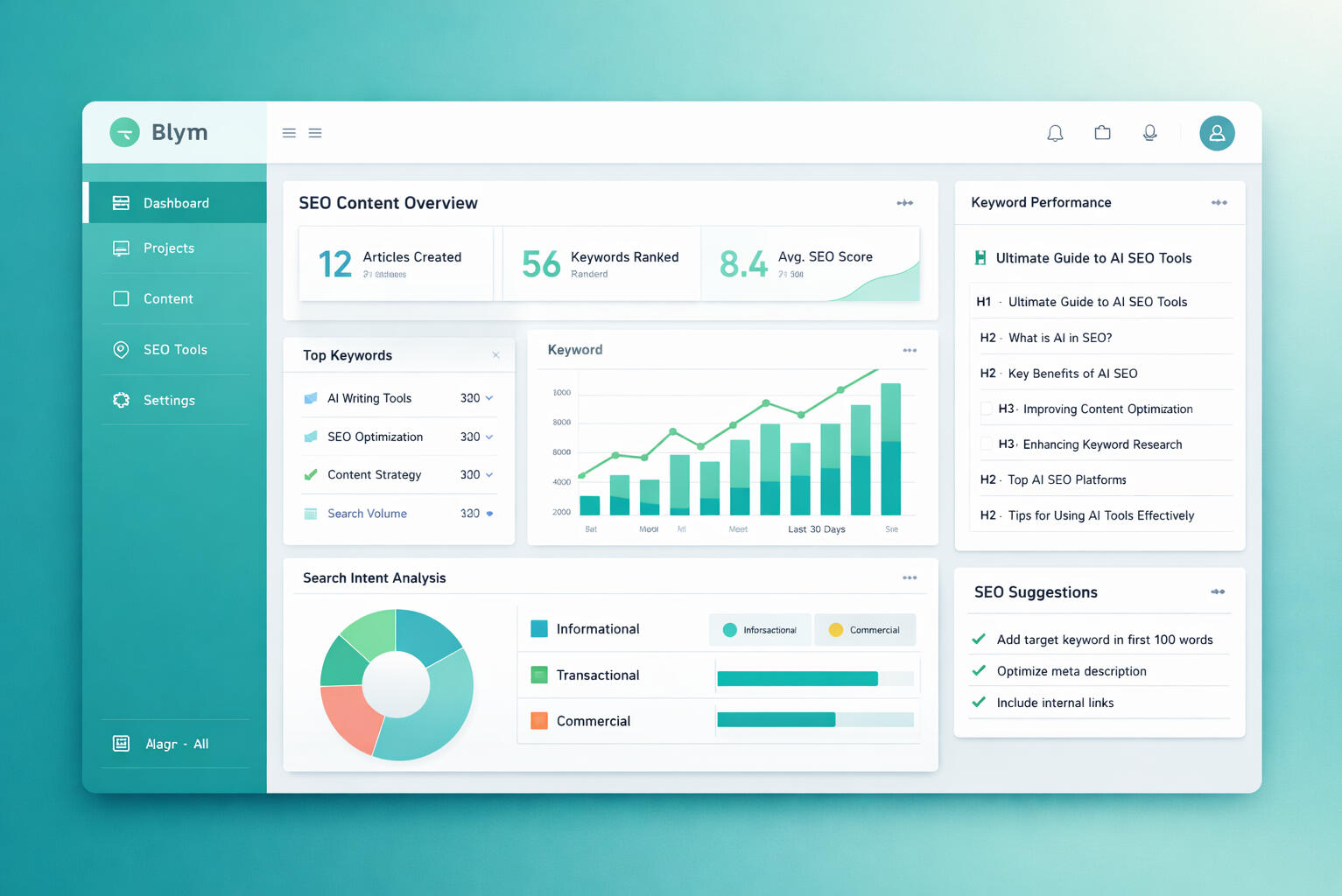
Blym is an AI-driven SEO content platform built specifically for agencies and scaling businesses that need more than just automated writing.
It’s designed for:
• Marketing agencies
• Growth-stage startups
• SaaS companies
• Content teams managing multiple brands
Unlike generic AI writing tools that simply generate paragraphs, Blym focuses on building structured, search-optimized content systems.
Its core priorities include:
• SEO-first article architecture
• Search intent alignment
• Brand voice consistency
• Scalable, repeatable workflows
In practical terms, Blym doesn’t just “write content.”
It helps agencies produce strategic, search-ready assets at scale — without depending entirely on manual copywriting teams.

The Real Problem: Why SEO Content Breaks at Scale
If you operate an agency or manage multiple client accounts, the friction is real.
You likely deal with:
• Writing high-quality SEO content that consumes too much time
• Inconsistent brand voice across different writers
• Articles that rank poorly due to weak intent alignment
• Rising payroll costs for skilled copywriters
• Operational chaos when scaling across multiple clients
At the same time, Google’s algorithm continues to evolve, demanding higher content quality, stronger structure, and clearer authority signals.
Teams are forced to:
• Conduct keyword research
• Build structured outlines
• Draft long-form articles
• Optimize headings, internal links, and metadata
Each step adds complexity.
As 2026 pushes SEO toward higher standards and AI adoption accelerates, content automation is no longer optional — it’s becoming a competitive advantage.
That’s the market Blym is entering.
What Blym Actually Delivers
Blym positions itself as more than an AI writer. It aims to function as a scalable SEO content engine.
🔹 AI-Powered SEO Article Generation
• Keyword-driven content creation
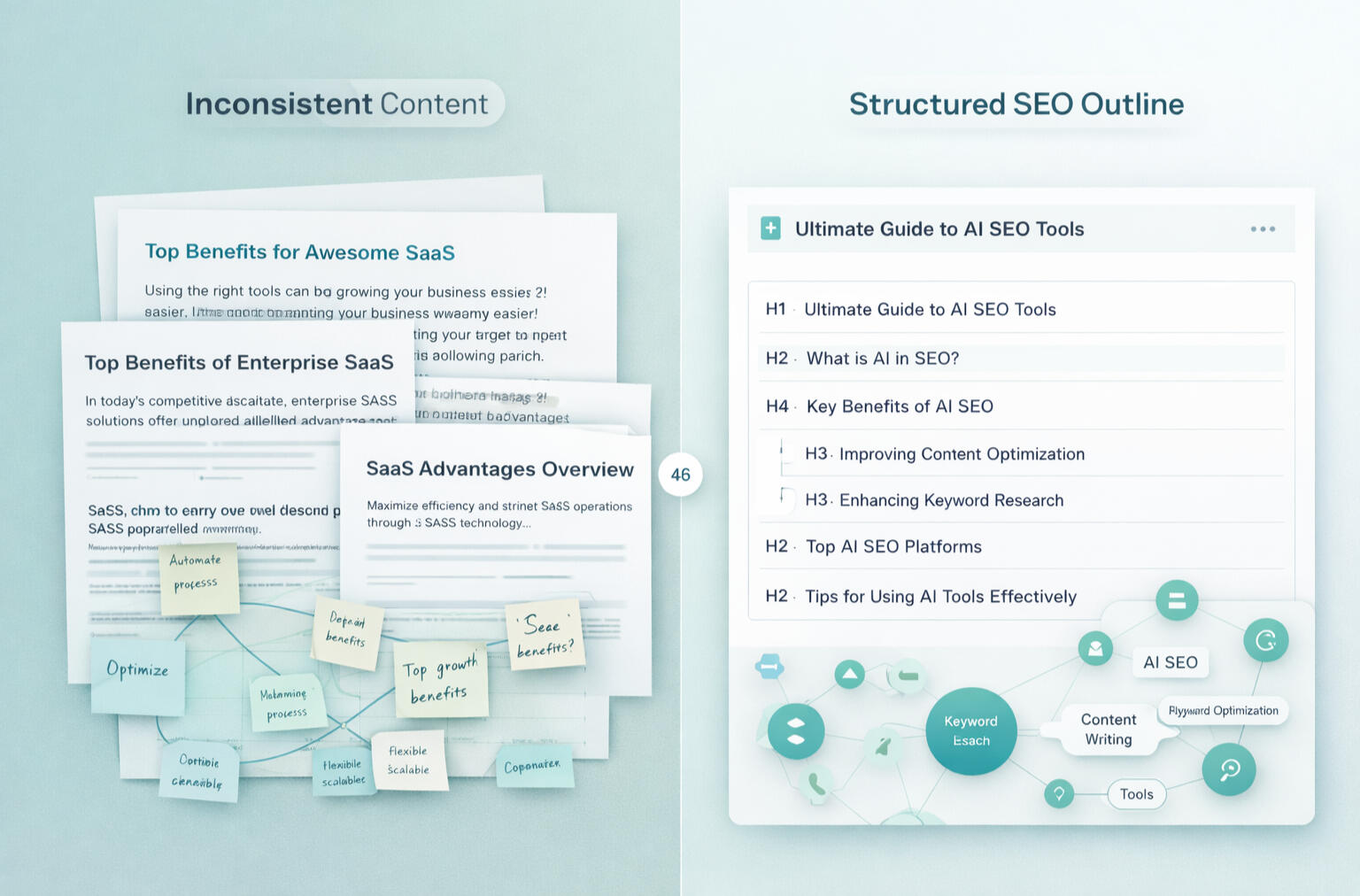
• Structured heading hierarchy (H1, H2, H3)
• Semantic keyword integration
• Search intent optimization
Instead of producing surface-level drafts, Blym emphasizes structured, ranking-oriented articles.
____________________________
🔹 Brand Voice Consistency
Agencies struggle with tone consistency across writers.
Blym allows teams to:
• Upload brand guidelines
• Maintain consistent messaging
• Avoid the “every article sounds different” problem
This is particularly valuable when managing multiple clients with distinct positioning.
____________________________
🔹 Agency-Ready Workflow
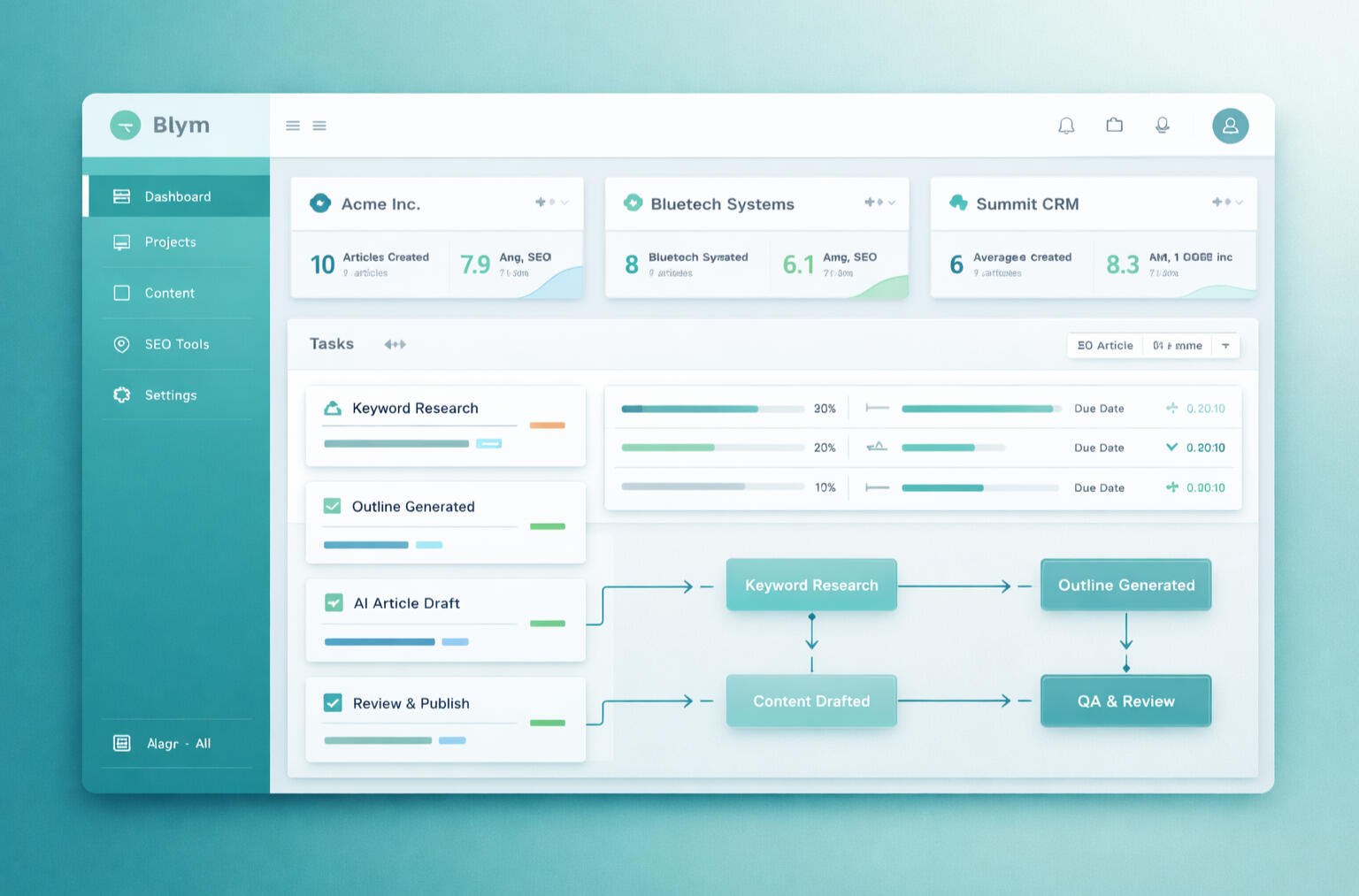
• Multi-client management dashboard
• Bulk content production capabilities
• Streamlined internal workflows
This supports agencies looking to scale output without scaling headcount at the same rate.
____________________________
🔹 Built for Conversion, Not Just Traffic
Blym isn’t only about ranking content.
It’s structured to support:
• Lead-generation blog strategies
• SaaS product education content
• Authority-building long-form articles
That positioning clearly separates it from entry-level AI writing tools built for casual use.
Blym positions itself as more than an AI writer. It aims to function as a scalable SEO content engine.
🔹 AI-Powered SEO Article Generation
• Keyword-driven content creation
• Structured heading hierarchy (H1, H2, H3)
• Semantic keyword integration
• Search intent optimization
Instead of producing surface-level drafts, Blym emphasizes structured, ranking-oriented articles.
____________________________
🔹 Brand Voice Consistency
Agencies struggle with tone consistency across writers.
Blym allows teams to:
• Upload brand guidelines
• Maintain consistent messaging
• Avoid the “every article sounds different” problem
This is particularly valuable when managing multiple clients with distinct positioning.
____________________________
🔹 Agency-Ready Workflow
• Multi-client management dashboard
• Bulk content production capabilities
• Streamlined internal workflows
This supports agencies looking to scale output without scaling headcount at the same rate.
____________________________
🔹 Built for Conversion, Not Just Traffic
Blym isn’t only about ranking content.
It’s structured to support:
• Lead-generation blog strategies
• SaaS product education content
• Authority-building long-form articles
That positioning clearly separates it from entry-level AI writing tools built for casual use.
Pros & Cons of Blym
✅ Strengths
✔ Purpose-built for agencies and growth teams
✔ SEO-focused framework rather than generic writing
✔ Supports consistent brand messaging
✔ Enables scalable production workflows
✔ Paid traffic friendly (suitable for Google Ads promotion)
✔ Attractive recurring affiliate model (commonly 20–30% lifetime)
____________________________
⚠️ Limitations
✘ Not designed for hobby bloggers
✘ Requires foundational SEO knowledge to maximize value
✘ May be priced above basic AI writing tools
Who Blym Is (and Isn’t) For
Blym may not be the right fit if you:
• Only write occasional social media captions
• Publish one or two articles per month
• Want quick AI drafts without structural SEO depth
It is designed for teams that want to:
• Build long-term SEO infrastructure
• Manage multiple clients efficiently
• Systematize content production
• Reduce dependency on manual writing cycles
In short, it’s for operators — not casual creators.
Is Blym Worth Trying in 2026?
If you are:
• Running a content or SEO agency
• Scaling a SaaS company
• Managing 5–10+ active clients
• Looking to reduce operational content costs
Blym is worth evaluating.
The shift in 2026 isn’t about producing more content.
It’s about building intelligent content systems that align with search behavior and brand strategy.
For affiliate marketers operating in the AI + SaaS niche, Blym’s recurring commission structure also presents a potentially strong long-term monetization opportunity.
Final Verdict
Blym is not a casual AI writing assistant.
It’s positioned as a structured SEO content platform for teams that want to scale strategically.
Best suited for:
• Agencies ready to grow
• Businesses focused on organic search performance
• Teams that prioritize brand consistency
If your goal is sustainable organic growth — not random blog publishing — Blym deserves serious consideration.
© 2026 KuluHub.net
YourGPT AI Review (2026): Is It the Best AI Chatbot Builder for Your Website?
If you're considering adding an AI chatbot to your website, chances are you're looking for automation, better customer support, or improved lead capture.
YourGPT AI promises to turn your website content into a smart, conversational assistant powered by AI.
But is it actually worth using? And how does it compare to other chatbot tools?
Let’s break it down.

What Is YourGPT AI?
YourGPT AI is a platform that allows businesses to create AI-powered chatbots trained on their own website content, documents, or knowledge base.
Instead of manually answering repetitive questions, the chatbot handles them automatically.
How It Works
• Upload website or documents
• AI processes and trains on content
• Deploy chatbot on your website
• Visitors interact in real time
Who Is YourGPT Best For?
Small Business Owners
Businesses that want 24/7 customer support without hiring more staff.
SaaS Founders
Companies that want onboarding assistance or product documentation support.
Agencies
Agencies offering AI chatbot setup as a service.
Key Features Explained
Custom Knowledge Training
Train chatbot on your own content.
____________________________
Website Integration
Embed on website easily.
____________________________
Lead Capture Automation
Collect emails and user questions automatically.
____________________________
Analytics & Insights
Understand what visitors ask most.
If you want to test how an AI chatbot works on your own site, you can start here:
Pros and Cons
Pros
• Easy to deploy
• Automates repetitive support
• Scalable for businesses
Cons
• Requires setup time
• Depends on quality of training data
• May require paid tier for advanced features
Is YourGPT Worth It?
The real value depends on:
• How many repetitive questions you receive
• Whether support is slowing growth
• Whether automation improves conversion
If chatbot automation reduces support load or increases lead capture, the ROI can justify the cost.
SUMMARY BOX
Best for: Businesses with website traffic
Primary benefit: Automated AI chatbot
Ideal for: SaaS, ecommerce, agencies
Final Verdict
If you run a business website and want AI-powered automation without building from scratch, YourGPT may be worth testing.
Starting with the entry plan allows you to evaluate performance before scaling.
© 2026 KuluHub.net
Zendesk AI Review (2026) – Is It Worth the Investment for Modern Support Teams?
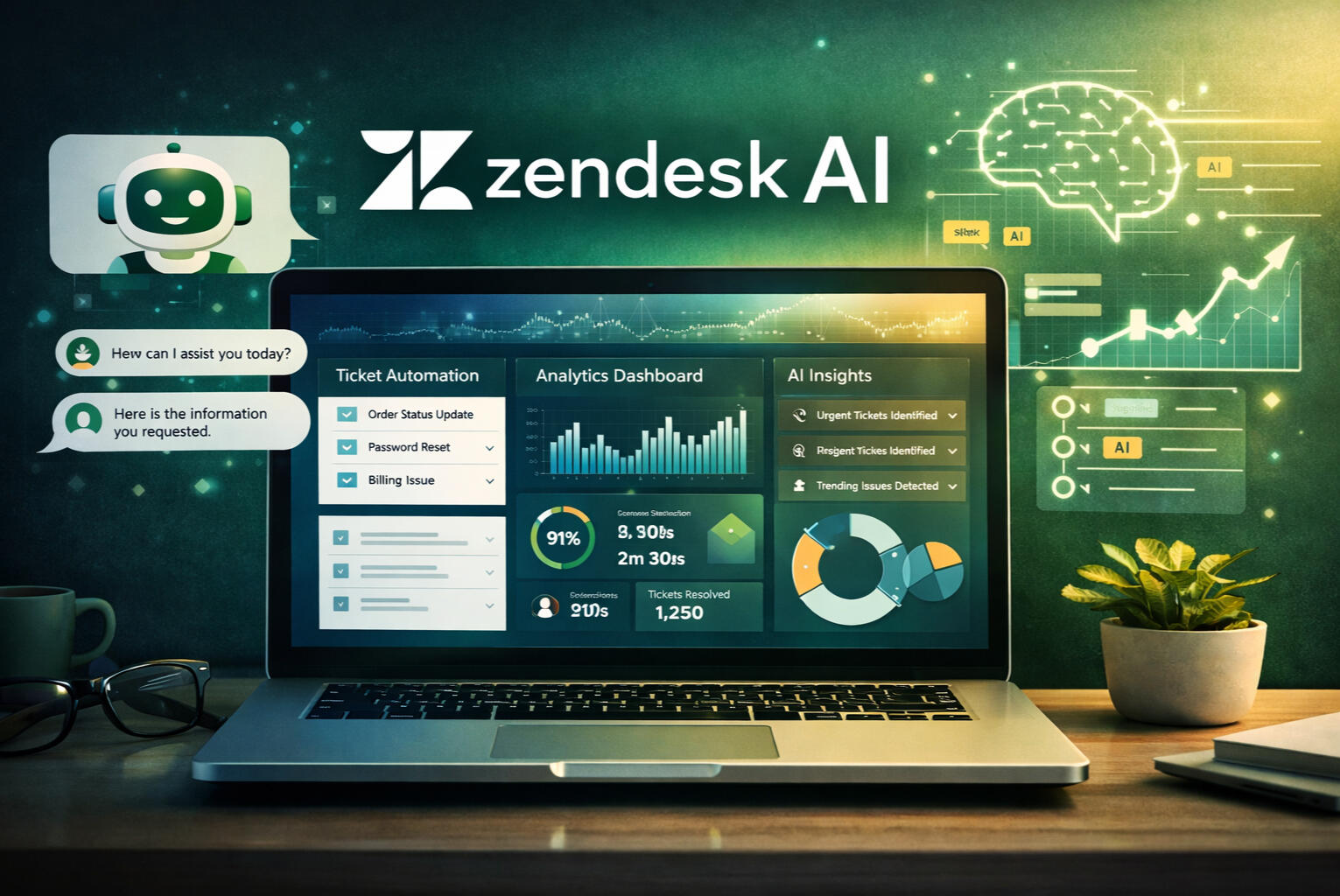
Artificial intelligence is reshaping customer service.
From ticket automation to predictive analytics, AI-powered helpdesk systems promise faster responses, lower operational costs, and better customer satisfaction.
Zendesk — one of the most established names in customer support software — has integrated AI into its platform through Zendesk AI.
But the real question is:
Is Zendesk AI the right fit for your business stage — or is it more infrastructure than you actually need?
Let’s examine it in depth.
What Is Zendesk AI?
Zendesk AI is the artificial intelligence layer embedded within the Zendesk customer service ecosystem.
Rather than being a standalone tool, it enhances Zendesk’s existing capabilities by adding:
• Intelligent ticket routing
• AI-generated response suggestions
• Intent detection
• Automated self-service flows
• Predictive analytics
• Customer sentiment analysis
Zendesk AI operates across multiple customer interaction channels, including:
• Email support
• Live chat
• Help centers
• Messaging platforms
It is designed to optimize support operations at scale.
Zendesk AI vs Traditional Helpdesk Software
Before evaluating features, it’s important to understand how Zendesk AI differs from traditional support tools.
Traditional helpdesk systems:
• Organize tickets
• Assign them manually
• Allow agents to respond
Zendesk AI goes further by:
• Predicting ticket intent
• Prioritizing urgency automatically
• Suggesting replies
• Identifying patterns in customer behavior
The difference lies in automation depth and analytics sophistication.
Who Is Zendesk AI Designed For?
Zendesk AI is primarily built for structured organizations.
H3: Mid-Sized to Enterprise Companies
Businesses with:
• Dedicated support teams
• Tiered escalation systems
• Multiple departments
• Defined service level agreements (SLAs)
benefit most from Zendesk’s ecosystem.
High-Ticket Volume Environments
If your company handles:
• Thousands of tickets per month
• Multiple channels of support
• Regional support teams
Zendesk AI can help manage complexity.
Companies Already Using Zendesk
If your organization already relies on Zendesk for:
• Ticketing
• CRM integration
• Reporting
then enabling AI features becomes a natural upgrade rather than a platform switch.
Core Zendesk AI Features (Deep Dive)
Let’s analyze the most impactful capabilities.
Intelligent Ticket Routing & Prioritization
Zendesk AI analyzes incoming tickets to determine:
• Customer intent
• Urgency level
• Relevant department
It then:
• Assigns tickets automatically
• Flags high-priority cases
• Reduces manual sorting time
For enterprise teams, this significantly improves workflow efficiency.
AI-Generated Suggested Replies
Zendesk AI assists agents by:
• Drafting response suggestions
• Recommending knowledge base articles
• Providing macro automation
Important:
AI suggestions still require human review.
Zendesk AI enhances agent productivity — it does not eliminate the need for human oversight.
Advanced Chatbot Automation
Zendesk AI can power conversational bots capable of:
• Handling simple FAQ requests
• Directing customers to relevant resources
• Collecting preliminary information before human handoff
This reduces first-level support burden.
Sentiment & Predictive Analytics
Zendesk AI uses customer interaction data to:
• Identify frustration signals
• Predict escalation likelihood
• Analyze customer satisfaction patterns
This level of insight is particularly useful for enterprises concerned with:
• Brand perception
• Retention
• Customer lifetime value
Knowledge Base Optimization
Zendesk AI evaluates knowledge base usage patterns to:
• Recommend improvements
• Identify content gaps
• Suggest optimization opportunities
Self-service performance can improve over time when data is leveraged correctly.
Zendesk AI Pricing Overview (High-Level)
Zendesk AI pricing depends on:
• Support plan tier
• Number of agents
• AI add-ons
• Additional integrations
Zendesk typically positions itself in the mid-to-high pricing tier of the helpdesk market.
Important considerations:
• Enterprise features often come at enterprise pricing.
• AI capabilities may require higher-tier subscriptions.
For small teams, pricing may feel significant.
For structured support departments, the ROI may justify the cost.
Setup & Implementation Process
Zendesk AI is powerful — but not plug-and-play minimal.
Implementation typically involves:
• Workflow configuration
• Ticket categorization setup
• Knowledge base structuring
• Agent onboarding
• System integration
Organizations with dedicated operations teams handle this well.
Solo operators may find setup complex.
Pros & Cons of Zendesk AI
✅ Strengths
• Mature ecosystem
• Enterprise-level infrastructure
• Advanced automation
• Deep analytics
• Strong scalability
• Multi-channel integration
____________________________
⚠ Limitations
• Higher cost compared to lightweight tools
• Setup complexity
• May be excessive for small teams
• Requires structured workflows
• AI assistance still needs monitoring
No system is universally perfect.
The key is alignment with business scale.
Real-World Use Cases
Large Ecommerce Brand
A global ecommerce brand handling:
• 3,000+ tickets monthly
• Returns, refunds, shipping disputes
• Multi-region support
benefits from:
• Automated prioritization
• Agent collaboration tools
• Escalation tracking
SaaS Company With Subscription Customers
Subscription businesses rely heavily on retention.
Zendesk AI can help:
• Identify churn signals
• Prioritize dissatisfied customers
• Monitor response time compliance
Enterprise B2B Organizations
Large B2B companies often require:
• Compliance tracking
• SLA enforcement
• Departmental routing
• Integration with internal systems
Zendesk AI integrates effectively into structured operations.
When Zendesk AI Might Not Be the Best Fit
Zendesk AI may not be ideal if:
• You are a freelancer
• You operate a small Shopify store
• You receive under 200 tickets per month
• You prioritize minimal setup
• You want rapid testing without infrastructure
In these cases, simpler AI helpdesk tools may align better.
Zendesk AI vs Lightweight AI Helpdesk Tools
Zendesk AI = infrastructure-first philosophy.
Lightweight tools = automation-first philosophy.
Zendesk AI is designed to optimize complexity.
Smaller tools are designed to reduce workload quickly.
Your decision should reflect your operational stage.
SEO Consideration – Is Zendesk AI Worth It?
The answer depends on 3 factors:
1️⃣ Ticket volume
2️⃣ Team size
3️⃣ Process maturity
If your company:
✔ Has structured support teams
✔ Needs advanced reporting
✔ Manages complex workflows
Zendesk AI is a strong candidate.
-----------------------------------------------
If your company:
✖ Is lean
✖ Has limited ticket volume
✖ Needs speed over complexity
Zendesk AI may feel excessive.
Final Verdict – Should You Invest in Zendesk AI?
Zendesk AI is one of the most mature AI-enhanced helpdesk solutions on the market.
It offers:
• Deep automation
• Strong analytics
• Enterprise scalability
• Multi-channel integration
However, it is not designed primarily for solo operators or very small teams.
Zendesk AI is best viewed as:
An infrastructure-level AI support solution.
If that matches your operational stage, it can be a valuable investment.
If not, testing lighter AI alternatives may be more appropriate.
© 2026 KuluHub.net
Answrr AI Review (2026) – Can This AI Helpdesk Actually Reduce Your Support Workload?
Customer support is supposed to build trust.
But for freelancers, Shopify sellers, and small marketing teams — it often becomes a bottleneck.
Too many tickets.
Too many repetitive questions.
Not enough time.
So the real question is:
Can an AI-powered helpdesk like Answrr actually reduce support workload — without hurting customer experience?
Let’s break it down.
The Real Problem – Why Support Becomes a Growth Limiter
Before we talk about software, let’s talk about reality.
Repetitive Questions Drain Time
If you run a Shopify store, you’ve seen these:
• “Where is my order?”
• “Do you ship internationally?”
• “What’s your refund policy?”
If you’re a freelancer:
• “What’s your turnaround time?”
• “Can you revise this?”
• “What’s included in the package?”
Same questions.
Different customers.
Every single day.
Hiring More Agents Increases Cost
When ticket volume grows, most businesses do one of two things:
1. Answer slower
2. Hire more support staff
Both have trade-offs.
Slower replies reduce trust.
More hires increase fixed cost.
Slow Response Time Hurts Conversion
Customers expect fast replies.
Even a few hours delay can affect:
• Cart completion
• Refund disputes
• Customer satisfaction
• Repeat purchase rate
This is where AI helpdesk tools enter the conversation.
What Is Answrr?
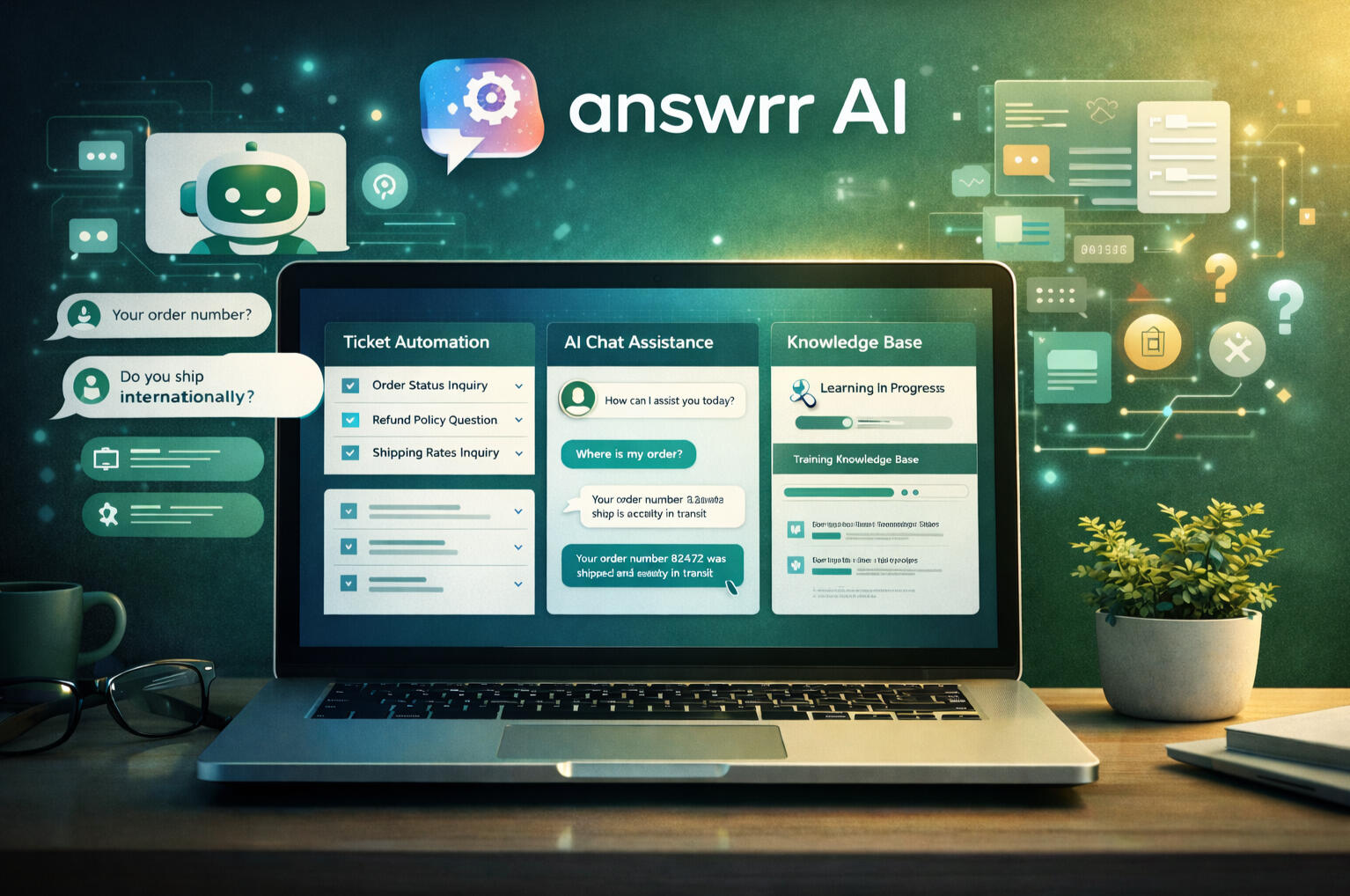
Answrr is an AI-powered customer support and helpdesk platform designed to automate and assist with:
• Ticket categorization
• Auto-generated responses
• Live chat automation
• FAQ handling
• Knowledge base learning
Instead of manually answering every message, Answrr analyzes incoming requests and:
• Suggests replies
• Auto-responds to common questions
• Routes tickets intelligently
• Learns from your documentation
It integrates with ecommerce platforms and business tools to streamline support operations.
👉 Curious how it works in real time?
Who Is Answrr Best For?
Answrr is not built for massive enterprise call centers.
It’s particularly suited for:
Freelancers & Solo Operators
If you manage multiple clients and handle:
• Project updates
• Revision requests
• Scope clarifications
AI can draft structured responses, saving mental energy.
You still control the final message — but you don’t start from zero.
Shopify & Ecommerce Sellers
Ecommerce stores often deal with:
• Shipping questions
• Order tracking
• Return requests
• Product information
An AI system that handles repetitive FAQs can reduce manual load.
Marketing Teams & Agencies
Agencies managing campaigns across clients often juggle:
• Campaign performance questions
• Billing inquiries
• Onboarding requests
Answrr can assist with consistent, fast first-response drafts.
Key Features Explained (Beyond the Marketing Claims)
Instead of just listing features, let’s explain what they mean.
AI Ticket Automation
When a ticket comes in:
• The system categorizes it
• Identifies intent
• Suggests or generates a response
You can:
• Approve the reply
• Edit it
• Or allow auto-send for predefined topics
This is especially useful for common queries.
Smart FAQ & Knowledge Base Learning
If you already have:
• Help documentation
• FAQ pages
• Return policies
• Shipping policies
Answrr can use that data to train its AI response engine.
Over time, replies become more accurate and aligned with your brand voice.
Multi-Channel Support
Customers don’t only use email.
Answrr supports integration across:
• Live chat
• Email tickets
• Possibly ecommerce dashboards (depending on setup)
This centralizes conversations in one interface.
Easy Integration
For Shopify sellers and online businesses, integration simplicity matters.
Answrr focuses on:
• Straightforward onboarding
• Connecting existing tools
• Minimal technical configuration
You don’t need a developer team to test it.
If you’re handling repetitive support daily, it may be worth testing.
Pricing Breakdown
Pricing structure typically depends on:
• Ticket volume
• Feature access
• Automation level
• Team size
Most AI SaaS platforms offer:
• Free trial period
• Tiered monthly subscription
• Scaling plans based on usage
Important:
This is not about “cheap vs expensive.”
It’s about whether the time saved justifies the subscription cost.
Before subscribing long-term, testing the free trial with your real support data is recommended.
Answrr vs Zendesk AI (High-Level Comparison)
Let’s compare positioning — not hype.
Target Market
Zendesk AI:
• Enterprise-level
• Complex support teams
• Larger infrastructure
Answrr:
• Small to medium businesses
• Ecommerce
• Freelancers
• Lean marketing teams
Setup Complexity
Enterprise tools often require:
• Onboarding teams
• Configuration workflows
• Technical setup
Answrr appears positioned toward easier onboarding for smaller teams.
Pricing Philosophy
Enterprise platforms:
• Higher entry pricing
• Add-ons and integrations cost extra
SMB-focused platforms:
• More flexible tiers
• Simpler subscription models
Real Use Cases (Practical Scenarios)
Let’s move from theory to real scenarios.
Shopify Store Receiving 200+ Tickets per Week
Common questions:
• Shipping timelines
• Refund policies
• Product sizing
AI can:
• Auto-handle FAQ-level tickets
• Suggest pre-written replies
• Reduce manual drafting time
Even partial automation can reduce support strain.
Freelancer Managing 5 Active Clients
Instead of rewriting similar explanations daily:
AI drafts structured responses based on:
• Your past messages
• Your FAQ policies
• Your onboarding docs
You review and send.
Time saved adds up.
Small Agency Scaling Campaigns
As client count increases:
Response consistency becomes important.
AI-assisted replies help maintain tone, speed, and structure.
Pros & Cons
✅ Pros
• Reduces repetitive manual replies
• Scales support without immediate hiring
• Centralizes support channels
• Learns from knowledge base
____________________________
⚠ Cons
• Requires initial setup and training
• AI-generated replies still need oversight
• May not fully replace complex human support
• Not necessary for very low ticket volume businesses
No AI tool is magic.
The goal is workload reduction — not full replacement of human judgment.
Is Answrr Worth Trying?
Let’s simplify.
Answrr may make sense if:
✔ You receive repetitive support questions
✔ You want faster first-response time
✔ You want to test automation before hiring more staff
✔ You prefer scalable systems
It may not be necessary if:
✖ You handle very low ticket volume
✖ Your support is highly customized and relationship-based
✖ You already have a fully staffed support team.
If support workload is limiting your growth, testing automation may be a reasonable next step.
© 2026 KuluHub.net
Answrr vs Zendesk AI (2026) – Which AI Helpdesk Is Better for Small Businesses?
Choosing the right AI helpdesk tool can directly impact your support efficiency, response time, and operational cost.
If you're comparing Answrr vs Zendesk AI, you're likely asking:
• Do I need enterprise-level infrastructure?
• Or do I need lightweight automation for a growing business?
• Which one fits Shopify stores, freelancers, or small marketing teams better?
Let’s break it down clearly.
Quick Overview – Positioning Difference
Before features, understand positioning.
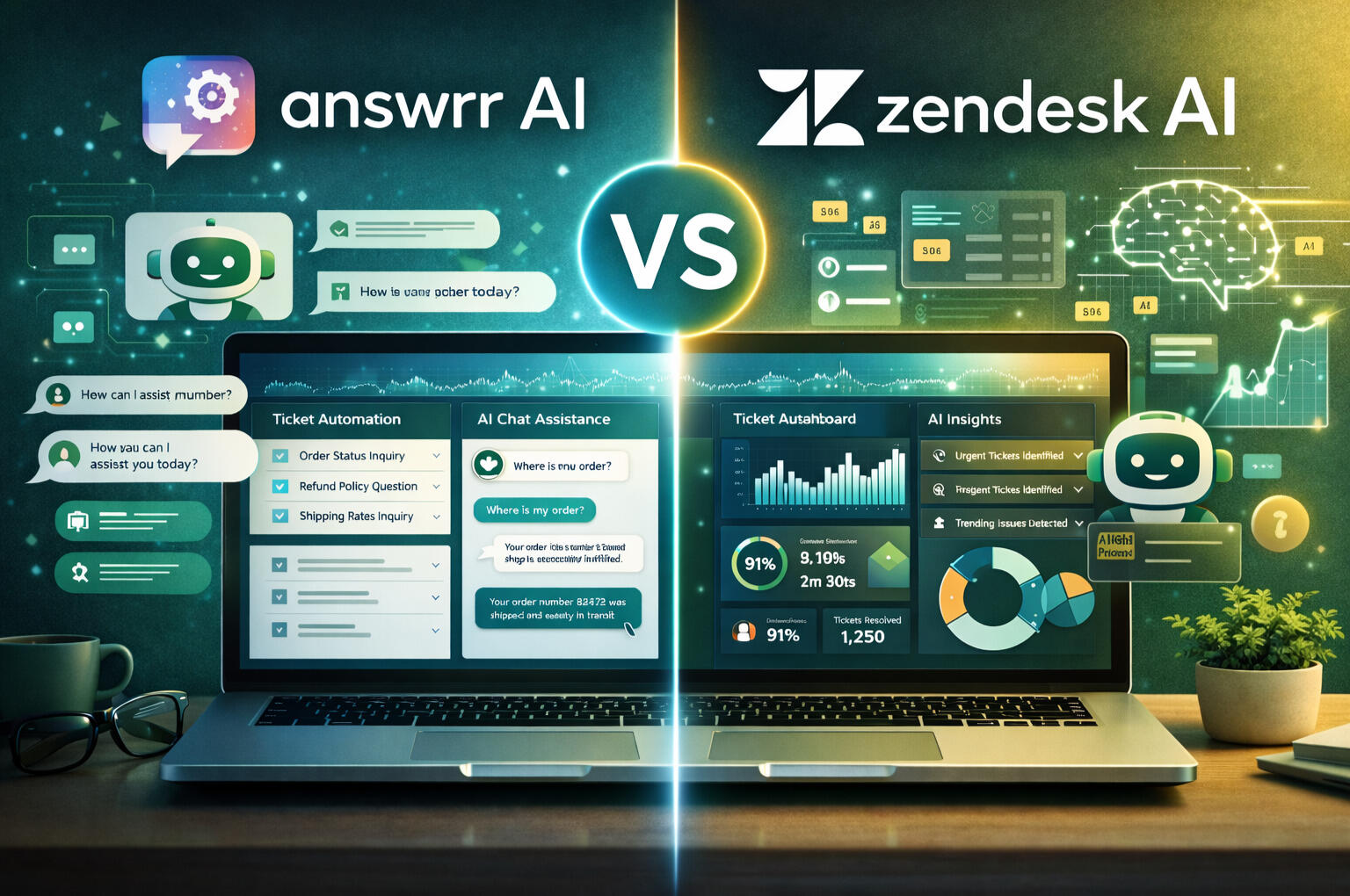
| Platform | Best For | Complexity | Typical User |
|---|---|---|---|
| Answrr | Small to mid-sized businesses | Lightweight | Freelancers, Shopify sellers |
| Zendesk | Enterprise support teams | Advanced | Large companies with structured support teams |
This difference alone eliminates confusion for many buyers.
Core Philosophy – Automation vs Infrastructure
Answrr’s Approach
Answrr focuses on:
• Reducing repetitive tickets
• Assisting small teams
• Faster onboarding
• Simpler workflows
It aims to help businesses automate support without building a full enterprise support department.
Zendesk AI’s Approach
Zendesk AI is built on top of the Zendesk ecosystem.
It emphasizes:
• Complex ticket routing
• Multi-level escalation
• Advanced reporting
• Enterprise integrations
It’s powerful — but designed for structured teams.
Setup & Learning Curve
Answrr
• Faster setup
• Designed for non-technical users
• Integrates easily with ecommerce workflows
• Lower onboarding friction
Good for:
✔ Business owners who want to test automation quickly.
Zendesk AI
• Requires configuration
• More settings & workflows
• Better suited for teams with dedicated support managers
Good for:
✔ Businesses with structured customer support departments.
AI Capabilities & Automation Depth
Ticket Handling
Answrr:
• Auto-categorizes tickets
• Suggests replies
• Can automate FAQ responses
Zendesk AI:
• Advanced intent detection
• Enterprise-level ticket routing
• AI-powered macros and insights
Knowledge Base Learning
Both tools:
• Use existing help center content
• Improve response suggestions over time
Zendesk may offer more advanced analytics.
Answrr focuses on practical automation for smaller teams.
Pricing Structure
⚠ Exact pricing may vary by plan and usage.
Answrr
• Typically tier-based
• Focused on manageable monthly pricing
• Designed for small to growing teams
• Free trial available
Zendesk AI
• Enterprise-tier pricing
• Add-ons and AI features often layered on top
• May require higher monthly commitment
For freelancers and Shopify sellers, pricing flexibility matters.
If you're running a lean team and want to test automation without committing to enterprise pricing:
Best Use Cases – When Each Tool Makes Sense
Choose Answrr If…
✔ You run a Shopify store
✔ You are a freelancer handling multiple clients
✔ You receive repetitive support questions
✔ You want to reduce workload without hiring
✔ You prefer simple onboarding
Choose Zendesk AI If…
✔ You manage a large customer support department
✔ You need advanced ticket routing & analytics
✔ You operate at enterprise scale
✔ You already use Zendesk ecosystem tools
Scalability Consideration
Zendesk AI is designed to scale across departments.
Answrr is designed to scale support automation before you hire more agents.
This is an important difference.
Many small businesses do not need enterprise infrastructure — they need workload reduction.
Performance & Risk Factors
No AI tool replaces human oversight completely.
Both require:
• Initial setup
• Ongoing monitoring
• Quality control
However:
For small teams, complex systems can create unnecessary friction.
This is why simplicity sometimes wins.
Which One Converts Faster for Growing Businesses?
If your current pain is:
• Too many repetitive tickets
• Not enough time
• Fear of hiring too early
Answrr aligns closer to that stage.
If your pain is:
• Complex routing
• Multi-tier support
• Compliance requirements
Zendesk AI may fit better.
Final Verdict – Answrr vs Zendesk AI
There is no universal “best.”
There is only “best for your stage.”
For freelancers, ecommerce sellers, and small marketing teams:
Answrr offers:
• Faster onboarding
• Lower complexity
• Automation without enterprise overhead
For large support departments:
Zendesk AI provides:
• Deeper infrastructure
• Enterprise-grade control
• Advanced support operations
If you’re not running a 50-person support team, testing lightweight automation first may be a smarter step.
See how it handles your real support tickets before committing to enterprise systems.
© 2026 KuluHub.net